Layout Inspector 2.0
Giving Android developers a live, hierarchical view of their UI at runtime.
Lead UX Designer · May 2020
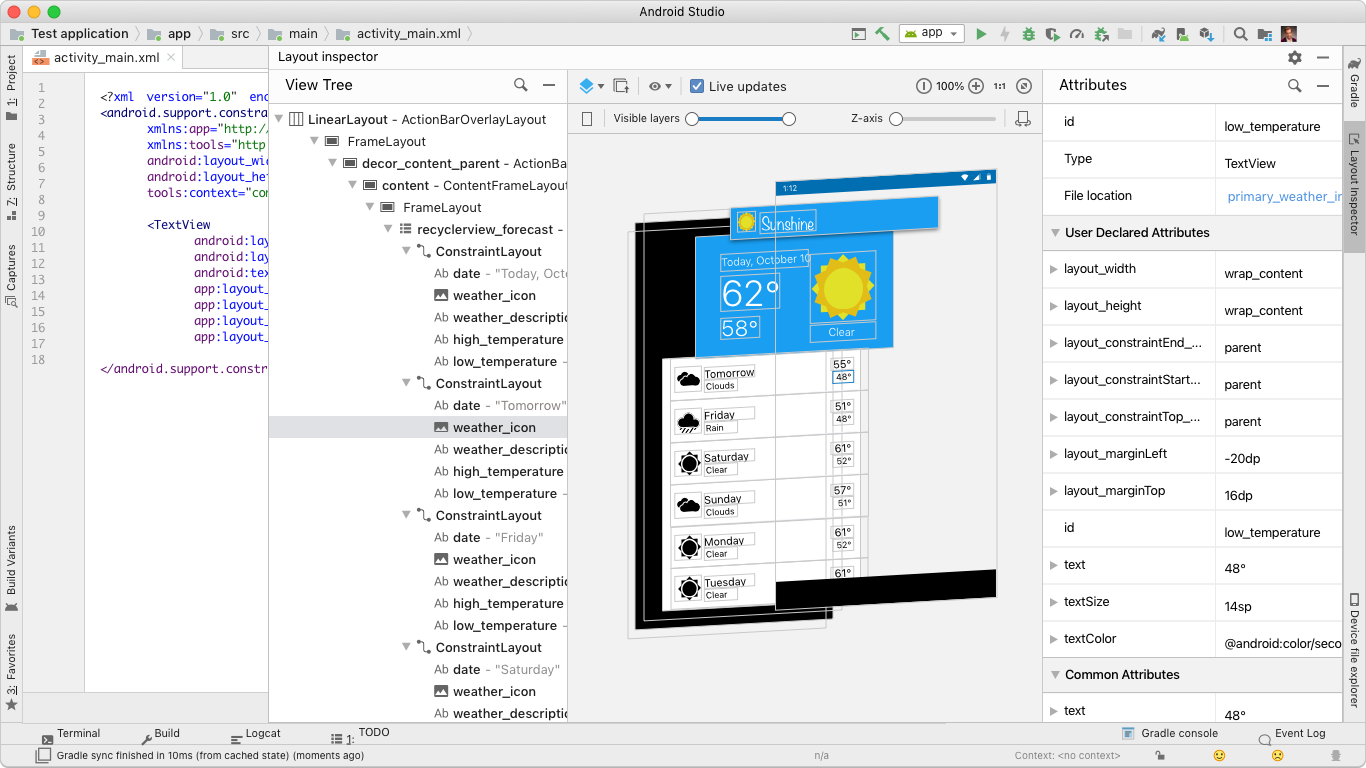
The original Layout Inspector in Android Studio was full of friction: it took over the full screen, showed post-rendered pixel data instead of developer-coded attributes, and didn't map 1:1 with the Layout Editor. Developers were bouncing in and out of the tool constantly just to complete simple debug tasks.
As Lead UX Designer I redesigned the inspector end to end. The new version introduced a docked tool window, a live attributes panel tied directly to XML, a streamlined flow connecting the inspector to the emulator, and a 3D modeler for surfacing layering issues invisible in 2D. Shipped to Canary early 2020, stable May 2020.
Before
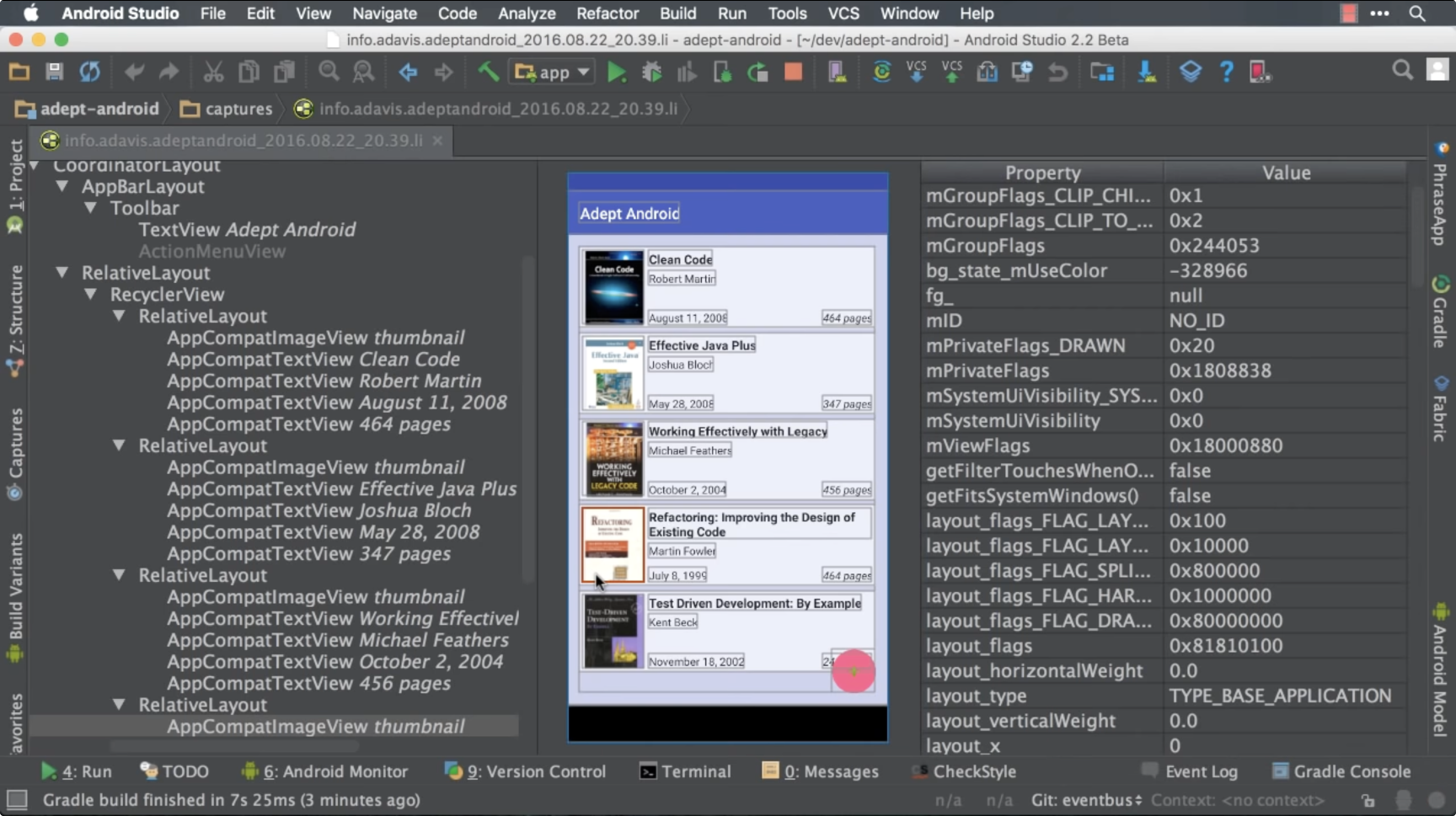
After

Key Problems
The Solution
Three major changes drove the redesign: docking the inspector as a tool window so it could run side by side with code, replacing pixel metadata with the actual XML layout attributes developers wrote, and connecting the inspector directly to the live emulator for real-time iteration without redeployment.
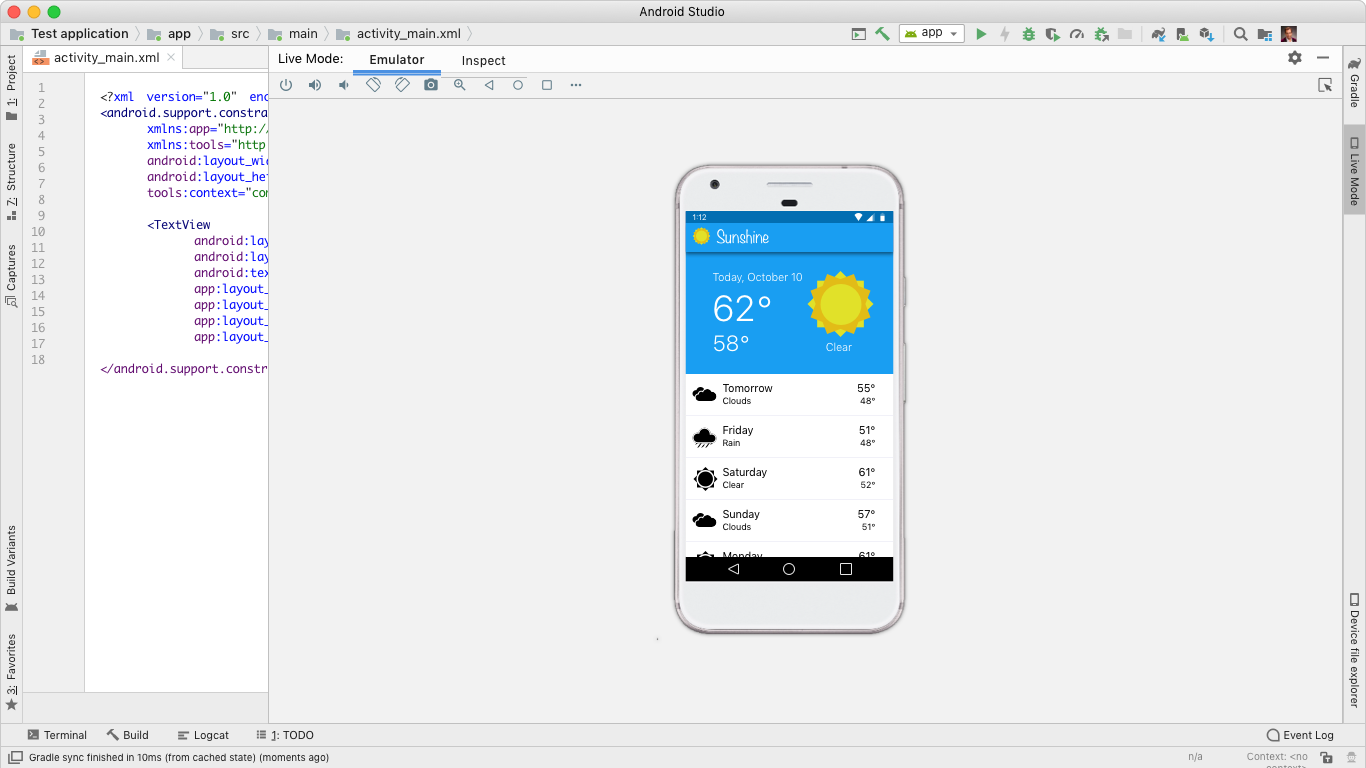
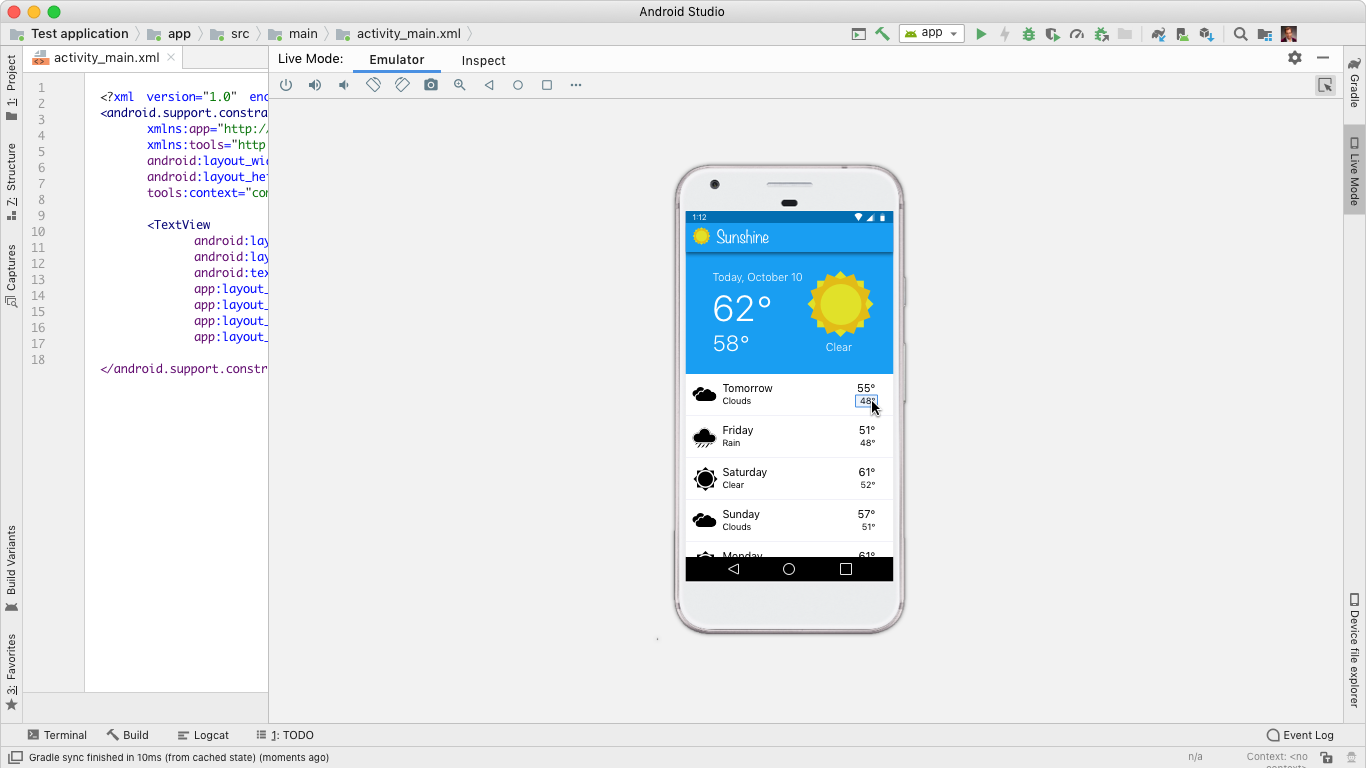

The 3D modeler was an entirely new capability, letting developers view their app in 3D space to find layering and alignment issues that are invisible in a flat 2D view. Users can drag into 3D, toggle views, inspect hierarchy, and click nested elements directly.
Outcomes