Azure SQL Overview
Redesigning the entry point for enterprise cloud database management at global scale.
Lead UX Designer · Fall 2017
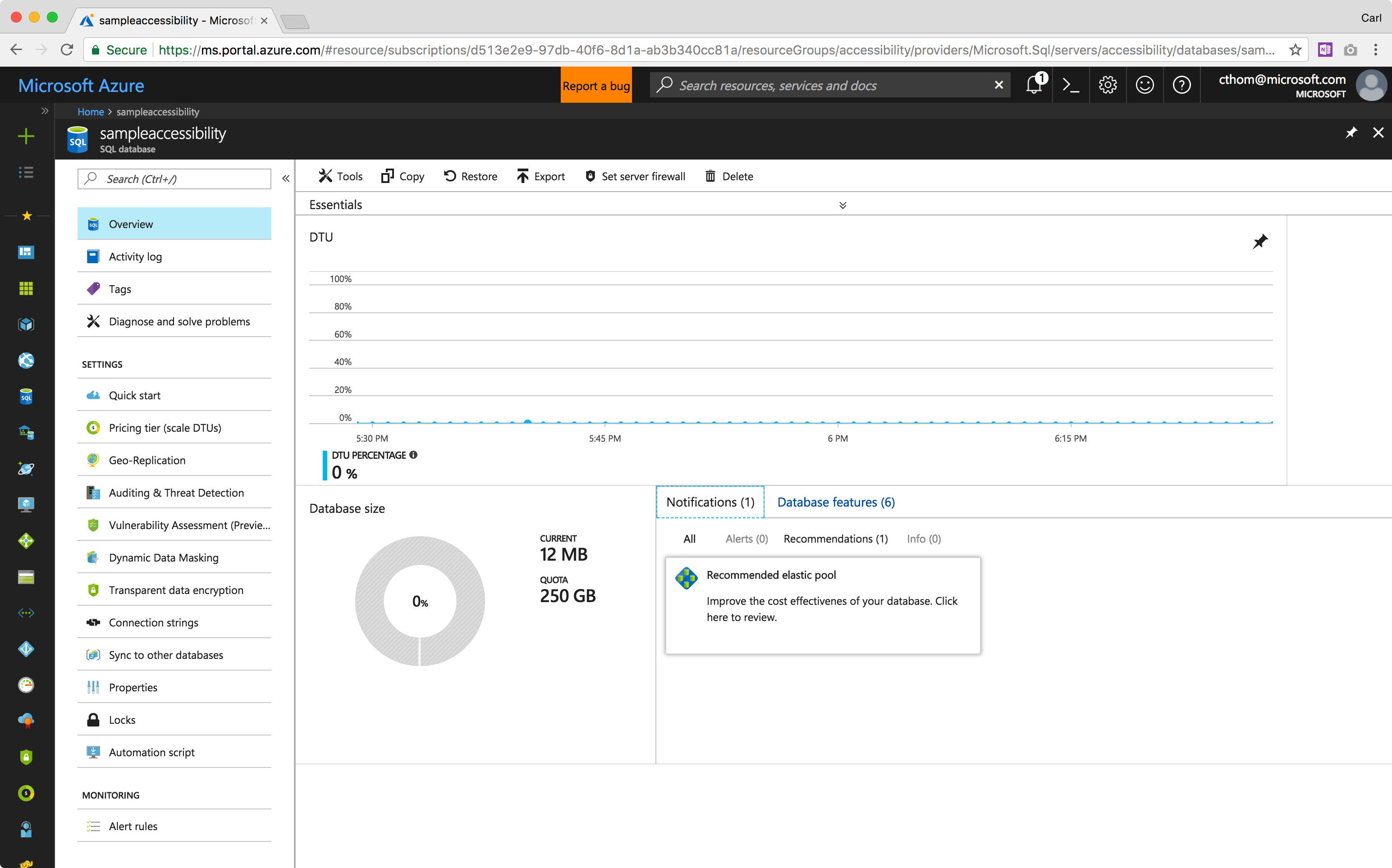
The SQL database overview blade in Azure was slow to load and hard to navigate. Customers couldn't quickly understand the health of their database, couldn't find key features, and the layout created more questions than it answered. As the sole designer on this project I partnered with a researcher, PM, and engineering to redesign the overview experience from the ground up.
The goal was clear: customers needed to understand their database's health at a glance, know where to troubleshoot, and find features without hunting. We also had a hard performance target: the blade had to load in under 2 seconds.
Key Problems
The Solution
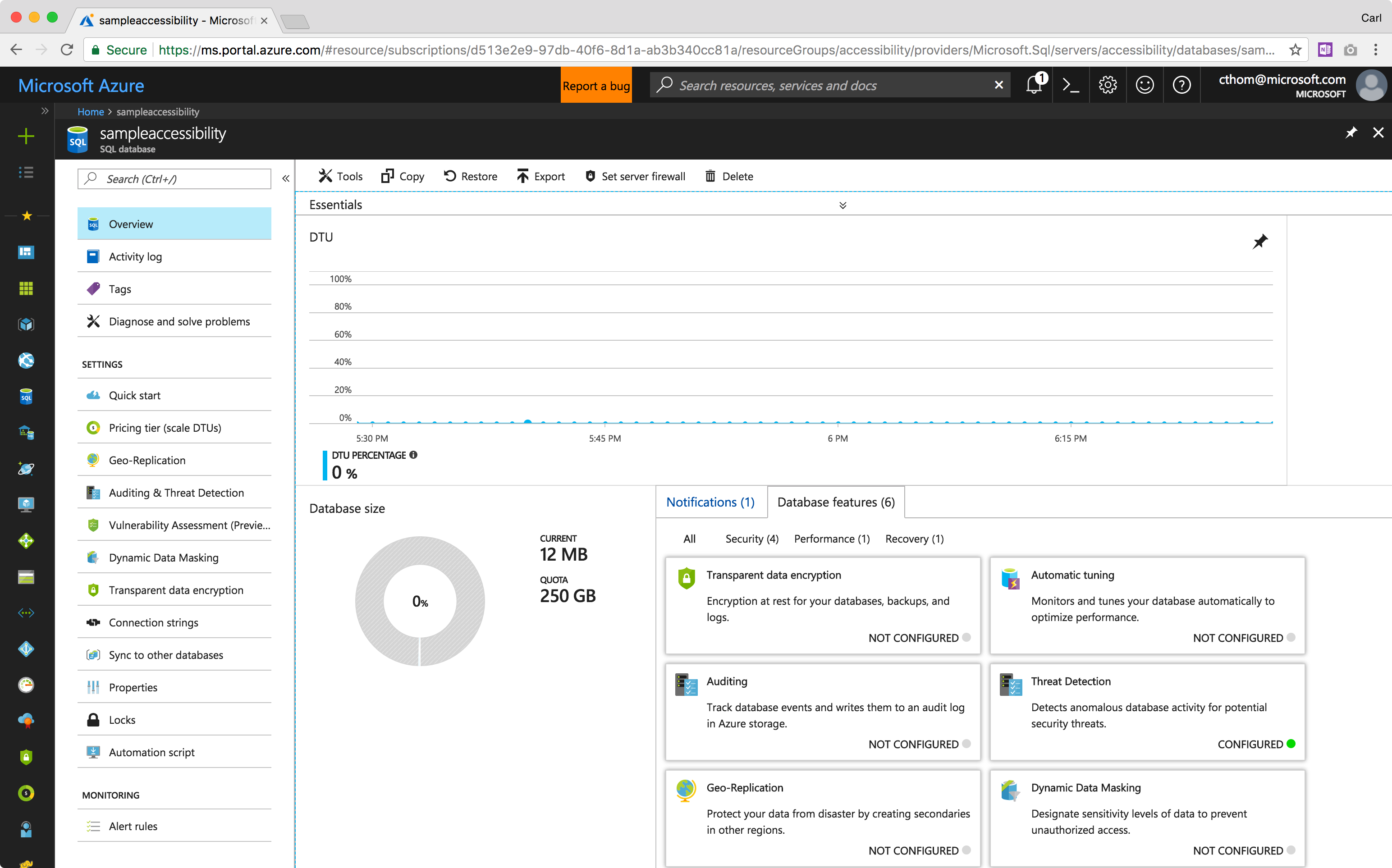
The redesigned overview prioritized health and status signals at the top, organized features by task rather than system hierarchy, and stripped out visual noise that was contributing to both cognitive load and load time. It also established a new pattern that other Azure teams could adopt across services.
Outcomes